

Every few weeks a new wave of the same question hits search: is the Equifax settlement email legit? Is the Facebook settlement email real? The reason is simple. When a large class action settles, millions of people get an email at once, most of them have never heard of the case, and the message asks them to click a link and confirm who they are. That is exactly the shape of a phishing email — and scammers know it, so they send fakes in the same week.
The good news is that legitimate settlement notices are very consistent. Courts approve their wording, administrators send them the same way every time, and the things a scam can't fake are easy to check. Here is the checklist, in the order you'd actually use it, followed by the red flags that end the conversation immediately.
If you want the background first — what a settlement notice is, why you were included, what the deadlines mean — start with our guide to class action settlement notices, explained.
The six-point checklist
Work through these in two minutes.
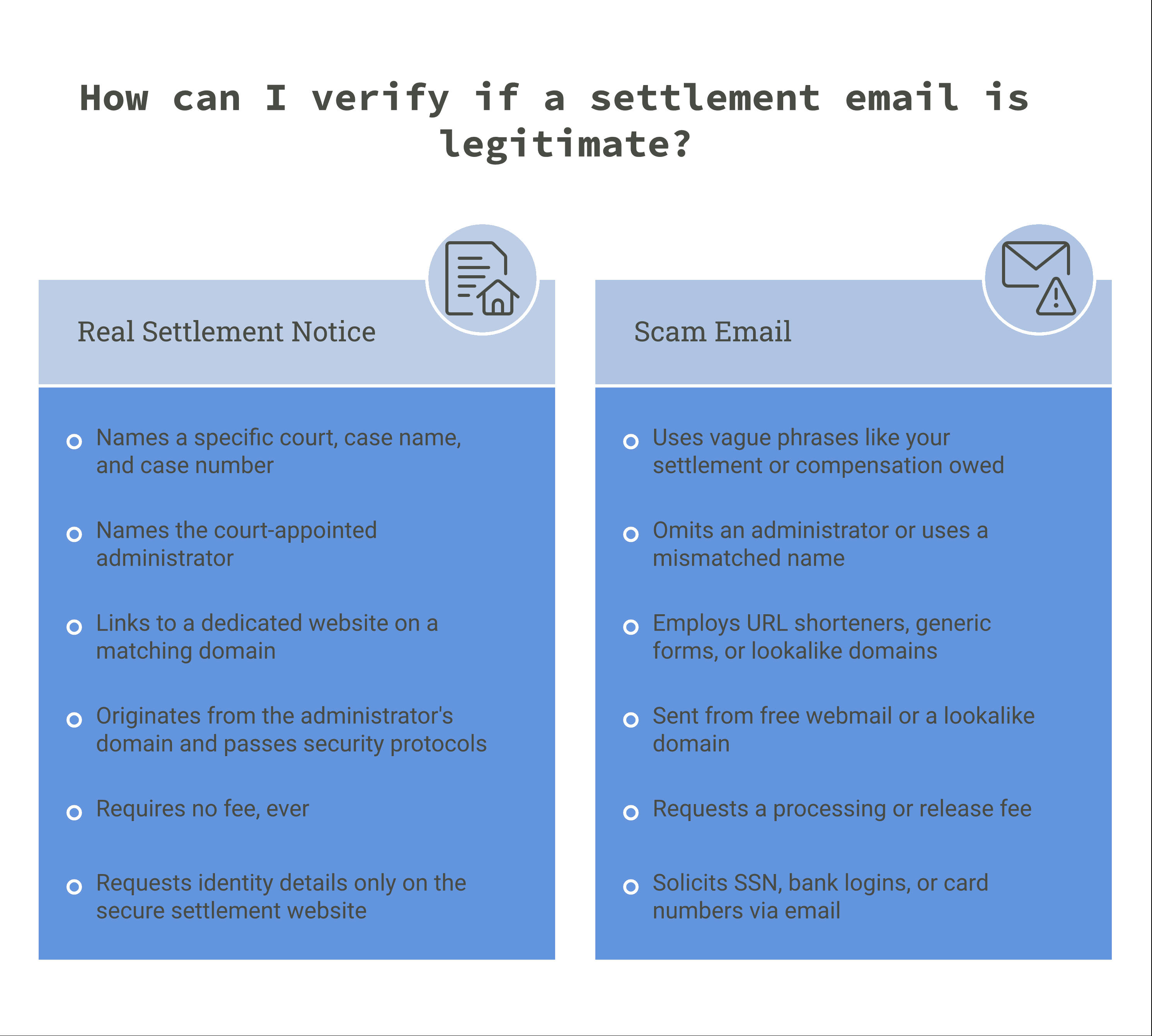
A real notice passes all six; a scam usually fails at least two.
1. It names a real court, case name, and case number
A legitimate notice identifies the lawsuit precisely: Plaintiff v. Defendant, the court (for example, "United States District Court for the Northern District of California"), and a case number. Search the case name. The court's own website, the settlement website, and legal news outlets will all reference it. A message that talks vaguely about "your settlement" or "compensation you are owed" with no case identified is not a court notice.
2. It names the settlement administrator
Courts appoint a third-party administrator to run the notice and claims process, and the notice says who it is. Firms such as Kroll Settlement Administration, Epiq, Angeion Group, JND Legal Administration, Analytics Consulting, and Simpluris handle a large share of U.S. settlements. Seeing one of those names doesn't prove the email is real — scammers borrow them too — but the administrator's name should match what the settlement website and the court filings say. If the email names no administrator at all, be suspicious.
3. It points to a dedicated settlement website
Real settlements get their own site, typically something like [casename]settlement.com or a page on the administrator's domain, with the full notice, the claim form, key dates, and the court documents. The domain in the email should match the domain of that site. A link to a generic form host, a URL shortener, or a domain that's one letter off from the real one is the classic tell.
4. The sending domain matches, and the email passes authentication
The "from" address should belong to the administrator or the settlement site — not a free webmail account and not a lookalike domain. You can go one step further: in Gmail, choose "Show original"; in Outlook, "View message source." Look for spf=pass, dkim=pass, and dmarc=pass. Legitimate administrators send from authenticated domains because inbox providers now require it for bulk mail; many also use BIMI, which is why some real notices show the administrator's logo next to the sender name. A notice that fails authentication isn't automatically fake, but it has failed a test every professional sender passes. (Our 2027 guide to email best practices covers what those checks mean.)
5. It never asks you to pay anything
You do not pay to file a claim. You do not pay to receive a check. There is no "processing fee," "release fee," "verification deposit," or "tax pre-payment." Any request for money — by card, wire, gift card, or crypto — is a scam, full stop.
6. It doesn't ask for sensitive information in the email
The initial notice tells you about the settlement and links you to the claim form; it does not ask you to reply with your Social Security number, bank login, or card number. A claim form on the settlement website may later ask for the last four digits of an SSN, or a W-9 for a large payment — that's normal, and it happens on the site, not in the message. An email that asks for full credentials, or that carries an attachment you must open to "verify eligibility," fails this check.
Red flags that settle it immediately
Any one of these is enough to stop:
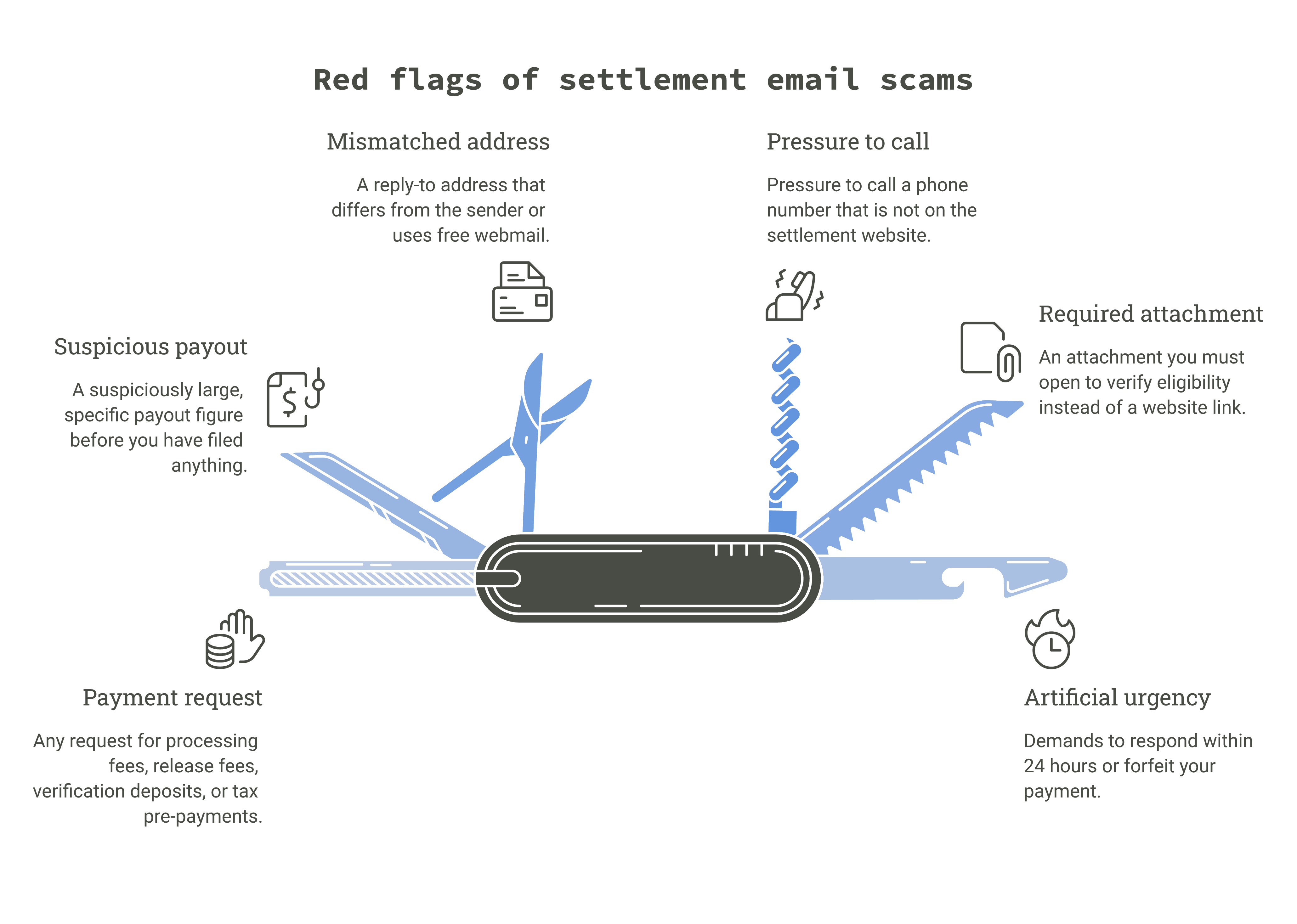
- A payment request of any kind. See check 5. There are no exceptions.
- Urgency that doesn't match the notice. Real deadlines are weeks or months out and are stated as dates. "Respond within 24 hours or forfeit your payment" is not how courts work.
- A payout figure that's suspiciously large and specific ("You are owed $2,847.16") before you've filed anything. Real notices describe a fund or a formula; individual amounts depend on how many people file.
- An attachment. Real notices link to the settlement website. They don't send the claim form as a .zip or a macro-enabled document.
- A reply-to address that differs from the sender, or that goes to a free webmail domain.
- Pressure to call a phone number that isn't the one listed on the settlement website.
What to do if you're still unsure
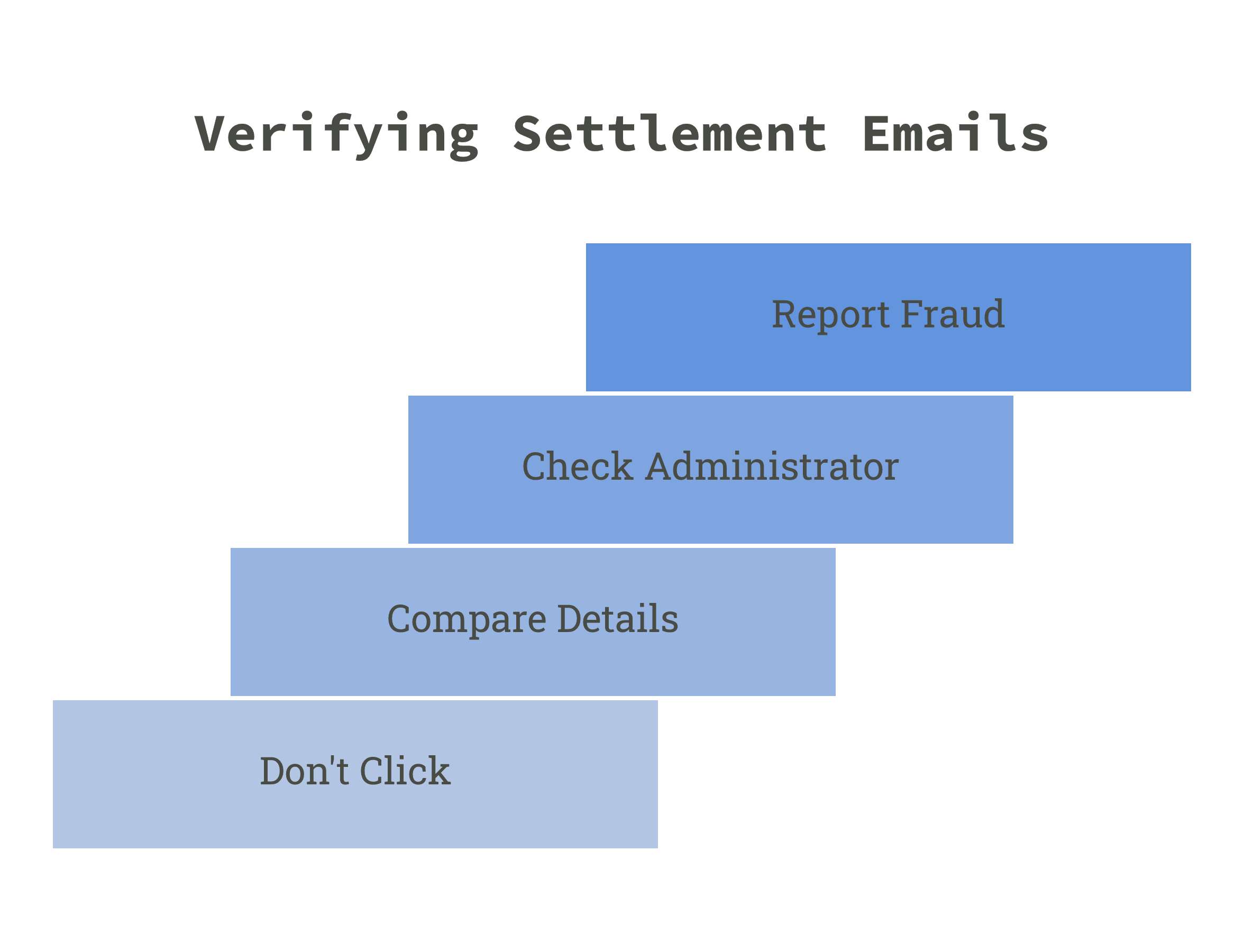
Don't click anything in the email. Instead:
- Type the settlement website address from the notice into your browser yourself, or search the case name and reach the site from the court's page or a legal news article. Everything you need — the notice, the claim form, the deadlines — is there.
- Compare. Does the site name the same administrator, the same case number, and the same deadlines as the email? If yes, the email is almost certainly real and you can file from the site.
- Check the administrator's own site. Legitimate administrators list their active cases. If the case isn't there, contact them using the number on their site, not the one in the email.
- If you decide the email is fake, report it to the FTC at reportfraud.ftc.gov and mark it as phishing in your mail client.
Why the real ones look the way they do
If you're on the other side of this, a settlement administrator, class counsel, or a company facing its first notice program; the checklist above is also a design brief.
Class members are making a trust decision in about ten seconds, and every item they use to make it is something the sender controls.
That's why authenticated sending on a dedicated domain per matter isn't a nice-to-have; it's the difference between a notice that gets read and a notice that gets deleted as spam (and a notice in spam is, for the court's purposes, a notice that was never delivered — we've written about why deliverability is the sender's responsibility). It's why the from-name, the reply-to, and the link domain all need to match the settlement site. It's why the unsubscribe handling on reminder sequences has to be clean, and why approval workflows and audit trails — the things that separate email compliance software for regulated industries from a general ESP — matter in a program the court will scrutinize.
This is what iPost does for class action settlement organizations: dedicated, authenticated sending infrastructure per matter, case and claim codes merged at send time, and iPost Assured, our verified and certified noticing platform that produces the proof of delivery attempts and outcomes that supports final approval. If you're planning a notice program and want class members to pass every check on this list, contact us.
Frequently asked questions
Are class action settlement emails legit?
Often, yes. Since 2018, federal courts have expressly allowed class action notice by email, and most large settlements now use it. But scammers imitate the format, so verify the case, the administrator, and the website before clicking.
Why did I get a settlement email I never signed up for?
Because the defendant's records — customer, account, or employee data — place you in the class definition. Class actions include you by default; you don't opt in. Our guide to settlement notices explains how that works.
The email is from an administrator I've never heard of. Is that a red flag?
Not by itself. Confirm the administrator is the one named on the settlement website and in the court's documents. If the names match, the sender is legitimate.
Do I have to click the link in the email to file a claim?
No. You can always go to the settlement website directly and file from there. That's the safest route if you have any doubt.
Will a real settlement ever ask for my bank details?
Only on the settlement website, and only if you choose an electronic payment option or your payment is large enough to require a tax form. Never in the initial email, and never by reply.
I already clicked. What now?
If you entered a password, change it (and anywhere you reused it). If you entered card or bank details, contact your bank. If you only clicked and closed the page, you're likely fine — but run a malware scan and watch for follow-up messages.
This article is general information about identifying legitimate class action notices and is not legal advice. Named administrators are cited as examples of firms that run real settlement programs, not as an endorsement or a warranty of any specific message. If you have questions about a specific settlement, contact the administrator listed on the settlement website or consult an attorney.